
The Warning Signs That an Email, Text, or Website Is Trying to Scam You
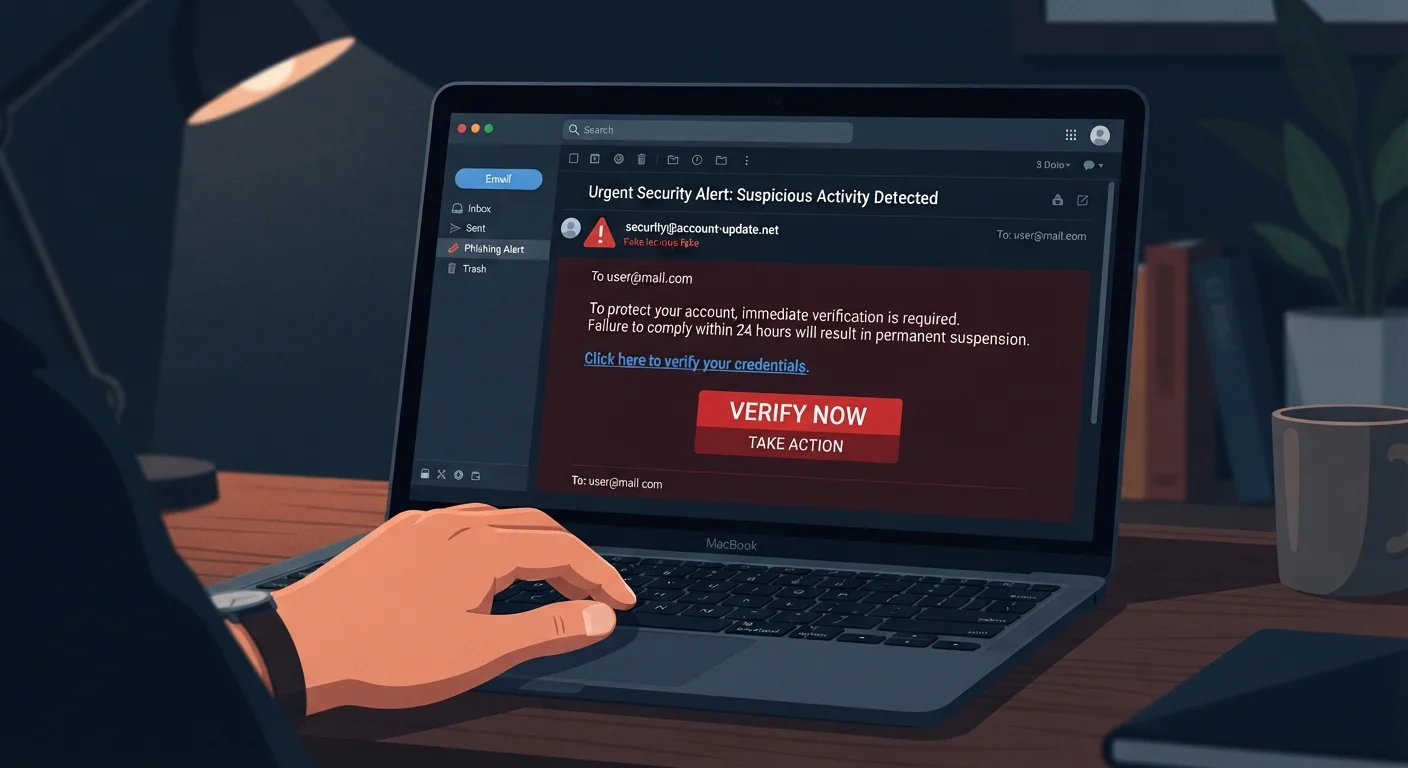
Photo credit: SyndicateExpert.com | Information At The Ready
In this article
Scams have gotten more convincing, but the red flags haven't disappeared. A practical guide to spotting fraud before you hand over anything.
Red Flags in Emails
Email remains the most widely used vehicle for online scams. Fraudulent messages have grown more polished over time, but several structural tells still give them away.
Check the sender's actual address, not just the display name. A message may show 'Chase Bank' in bold, but the underlying address might be something like support@chase-secure-alerts.net — a domain with no real connection to the bank. Hover over or tap the sender name to reveal the full address before trusting anything in the message.
Watch for urgency and pressure language. Phrases like 'Your account will be closed in 24 hours,' 'Immediate action required,' or 'You have been selected' are classic pressure tactics designed to override careful thinking. Legitimate organizations rarely demand split-second decisions over email.
Scrutinize links before clicking. Hover your cursor over any link to preview where it actually leads. Scammers use tactics such as inserting extra words (amazon-support-login.com), swapping characters (paypa1.com), or using URL shorteners to mask destinations.
Be skeptical of unexpected attachments. Unsolicited files — even ones labeled as invoices, shipping notices, or IRS forms — can install malicious software when opened. When in doubt, contact the supposed sender through a verified phone number or official website, not a contact listed in the email itself.
For a deeper look at how these email attacks work alongside text and phone scams, see our guide on phishing, smishing, and vishing.
| Most common scam delivery method | Email (phishing) (FBI Internet Crime Complaint Center (IC3), 2023 Annual Report) |
| Reported financial losses to phishing and fraud | Over $10 billion (U.S., 2022) (FBI IC3, 2022) |
| Share of phishing sites using HTTPS | More than 80% (Anti-Phishing Working Group (APWG), 2023) |
| Top scam impersonation targets | Banks, delivery services, government agencies (FTC Consumer Sentinel Network, 2023) |
| Where to report scams (U.S.) | ReportFraud.ftc.gov (Federal Trade Commission) |
Red Flags in Text Messages and Websites
Suspicious texts share the same DNA as phishing emails — urgency, unexpected claims, and links that lead somewhere unfamiliar. Common scenarios include fake package-delivery failures, bank fraud alerts, and prize notifications. If you didn't initiate a transaction or request, treat any text asking you to click a link or call a number with strong skepticism.
Verify the phone number or short code independently. Scammers can spoof caller ID and sender IDs to display recognizable names. If a text claims to be from your bank, hang up or exit the message and call the number printed on the back of your card or your official bank app.
On websites, go beyond the padlock.
A Padlock Does Not Mean a Site Is Safe
Many people assume that 'https://' and a padlock icon in the browser bar guarantee a website is trustworthy. In reality, these symbols only confirm that the connection between your browser and that site is encrypted — they say nothing about whether the site itself is run by criminals. Scammers routinely obtain SSL certificates for fraudulent sites. Always verify the full domain name, not just the security indicator.
Watch for poor grammar, mismatched logos, and missing contact information. Legitimate businesses maintain consistent branding and provide verifiable contact details. A site that lists no physical address, no working support phone number, or only a generic email form warrants extra caution.
Unusual payment requests are a major warning sign. Requests to pay via gift cards, wire transfer, cryptocurrency, or peer-to-peer apps (outside of established marketplaces) are strongly associated with fraud. These payment methods offer little to no recourse once funds are sent.
Protecting yourself online extends well beyond scam awareness. Our online safety audit checklist walks through passwords, devices, and accounts to help you find and fix weak spots. If you participate in online communities, this privacy checklist for new community members covers what to keep private before you engage.
Phishing
A fraudulent attempt — usually via email — to trick someone into revealing sensitive information such as passwords or financial account numbers by impersonating a trustworthy source.
Smishing
Phishing carried out through SMS text messages rather than email, often using fake package-delivery or bank-alert notifications to lure clicks.
Spoofing
The practice of forging a sender's email address, phone number, or website URL so it appears to come from a legitimate source when it does not.
Pretexting
A social-engineering technique in which a scammer fabricates a believable scenario — such as an account emergency or prize win — to pressure a target into acting quickly.
SSL Certificate
A digital credential that enables encrypted communication between a browser and a website, indicated by 'https://' and a padlock icon. Its presence alone does not guarantee a site is legitimate.
Domain Spoofing
Registering or disguising a web address to closely resemble a real brand's domain (e.g., 'paypa1.com' instead of 'paypal.com') in order to deceive visitors.

Author
Tech & Devices Editorial Team
Tech & Devices Editorial Team is the collective byline for our editorial team and contributor network. Articles published under this byline or an editorial pen name are researched, written, and reviewed according to our editorial standards for clarity, consistency, and independence before publication.
View all articles →