
Building a Trip Itinerary That Actually Works in Real Life
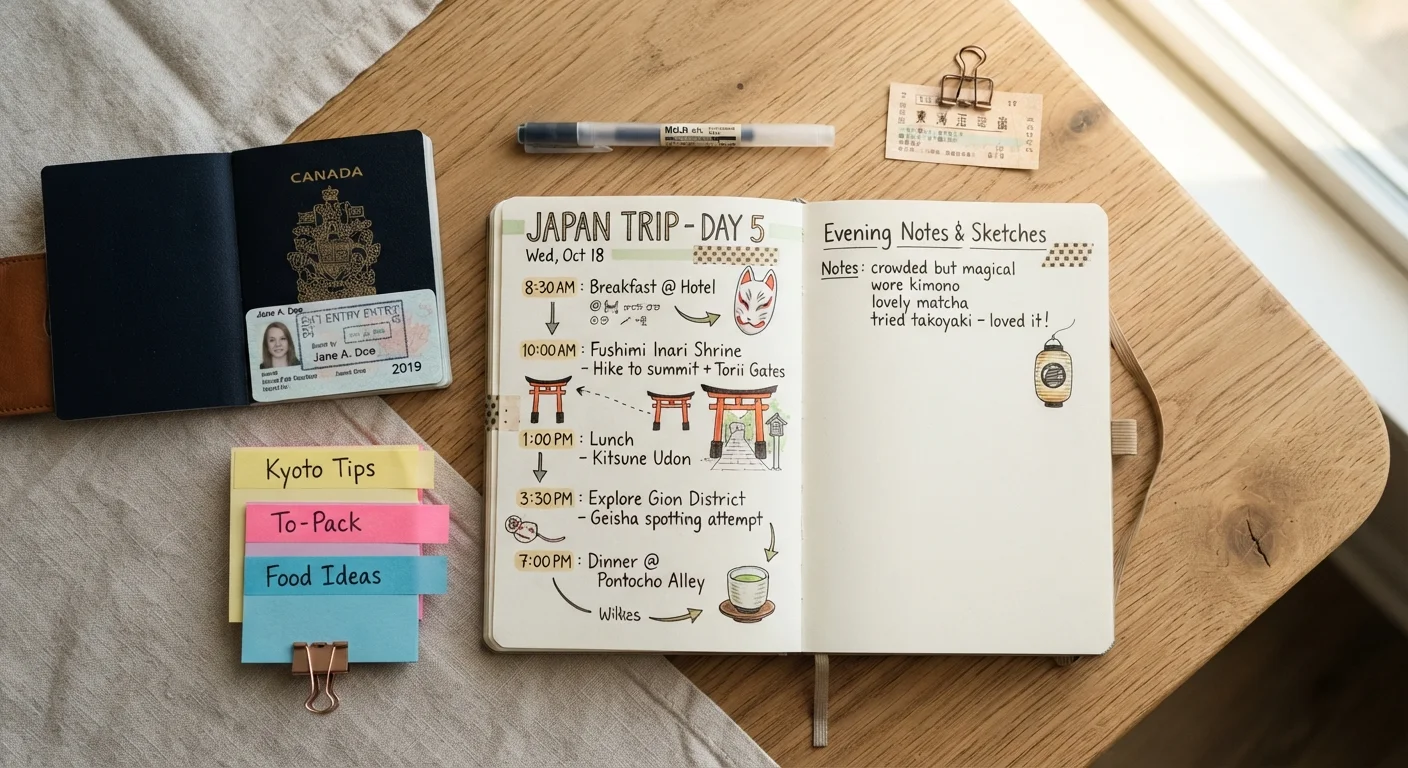
Photo credit: SyndicateExpert.com | Information At The Ready
In this article
Learn how to design a day-by-day travel plan that balances must-sees with breathing room, so your trip feels like a vacation, not a sprint.
Key Takeaways
- A realistic itinerary accounts for travel time, rest, and the unexpected — not just attractions.
- Anchoring each day around one or two priorities prevents over-scheduling and burnout.
- Grouping activities by neighborhood or region reduces wasted transit time significantly.
- Built-in buffer time is not wasted time — it's what makes everything else work.
- Digital tools and simple paper lists can both produce an effective, flexible travel plan.
Why Most Itineraries Break Down
The average travel itinerary looks great on a Sunday afternoon at home and falls apart by day two. The culprit is almost always optimism: underestimating how long things take, forgetting that real travel involves waiting, walking, deciding, and recovering. A good itinerary isn't a calendar crammed with checkboxes — it's a framework that gives each day direction without making you a slave to the clock.
This is part of the full trip-planning process, which moves from destination research all the way through to packing and contingency prep. The itinerary sits right in the middle of that journey — informed by your budget and confirmed bookings, and informing everything that comes after, including how you pack.
Over-Scheduling Is a Real Trip Killer
Cramming 8–10 activities into a single day sounds ambitious on paper but typically leads to exhaustion, frustration, and missed experiences. A packed schedule also leaves zero room to recover when something goes wrong — a delayed train, a long queue, or a must-try lunch spot that takes time. Aim for a plan your future, tired self will still enjoy.
For a deeper look at how travel spending connects to your overall financial planning, budgeting basics offers practical frameworks that translate well to trip contexts.
What You'll Need Before You Start
Good itinerary-building doesn't require special software — just the right inputs and a few simple tools. Here's what to have ready:
What you will need
Digital note-taking or document app
Centralizes research notes, links, confirmation numbers, and draft day plans in one editable place.
Mapping application
Helps cluster nearby attractions and estimate realistic walking or transit times between locations.
Calendar or scheduling app
Time-blocks each activity so you can visually spot over-scheduled days before you travel.
Offline maps or downloaded guides
Ensures access to your plan and navigation when Wi-Fi or cellular service is unreliable.
With these in place, the step-by-step process below takes most travelers between 20 and 45 minutes to complete — and saves hours of confusion on the ground.
How to Build Your Itinerary Step by Step
Follow these steps in order. Each one builds on the last, so resist the temptation to jump straight to filling in a day-by-day grid before you've done the groundwork.
Define your trip's pace and non-negotiables
Before listing a single attraction, decide what kind of trip this is. Are you recharging, exploring, ticking off landmarks, or experiencing local culture deeply? Your answer shapes everything. Slow travel — prioritizing depth over breadth — suits some travelers far better than the whirlwind approach.
Next, write down your two or three absolute non-negotiables: the experiences you'd genuinely regret missing. These become your anchors. Everything else fills in around them.
Map out your time honestly
Count your usable hours, not just calendar days. Arrival and departure days are rarely full days. Factor in check-in, jet lag recovery, and any fixed travel within the trip (an inter-city train, a day trip with driving time). A seven-night trip often yields only five genuinely free days.
Write a simple grid: one row per day, and note the rough window of available hours. This alone prevents the most common itinerary mistake — treating every day as identical and unlimited.
Group activities by location
Pull up a map and cluster your wishlist items geographically. Spending a morning on one side of a city and the afternoon on the other wastes time and energy that could go toward actually experiencing the place. Assign a general area or neighborhood to each day, then fit relevant activities into that zone.
This approach matters especially on road trips. Our American Southwest road trip planning resource shows how thinking in routes rather than scattered stops makes long drives far more manageable.
Assign one or two anchors per day — then stop
For each day, choose one major anchor (a museum, a hike, a long lunch at a local market) and at most one secondary activity. Fill remaining time loosely — a neighborhood walk, a café stop, browsing a market — but don't schedule these tightly. This structure gives each day shape without suffocating it.
If you're traveling with kids, this discipline is even more critical. Planning with children requires accounting for slower paces, nap windows, and the reality that kids engage unpredictably with planned activities.
Build in transitions and realistic timing
Look at each day and add estimated time for every transition: walking between sites, waiting for transport, ordering and eating a meal. Most travelers underestimate meals alone — a sit-down lunch in an unfamiliar city can easily take 90 minutes once you account for finding the place, waiting, eating, and paying.
A useful rule: take your instinctive time estimate for any activity and multiply it by 1.5. That's usually closer to reality, especially in a new place.
Write the itinerary in a shareable format
Compile your day-by-day plan into a single document or shared note. Include: the day's anchor activities, any confirmed booking times and reference numbers, the neighborhood or area you're based in, and a note on how you're getting around that day. Keep it skimmable — bullet points over paragraphs.
If traveling with others, a shared document prevents the constant 'what are we doing tomorrow?' loop. For group travel logistics more broadly, see our group trip planning guide.
Use Your Calendar App as an Itinerary Tool
Time-blocking your activities in a calendar app makes it instantly visible when a day is over-packed. You can also share it with travel companions in real time. See our guide to getting more from your calendar app for practical techniques that go beyond basic reminders.
Once your itinerary is drafted, do a final sanity check: read through each day as if you're living it. If it feels exhausting just to read, it'll be exhausting to execute. Trim until it feels like a vacation.

Author
Travel & Trips Editorial Team
Travel & Trips Editorial Team is the collective byline for our editorial team and contributor network. Articles published under this byline or an editorial pen name are researched, written, and reviewed according to our editorial standards for clarity, consistency, and independence before publication.
View all articles →