
When Convenience Undermines Security: Digital Habits That Feel Fine but Aren't
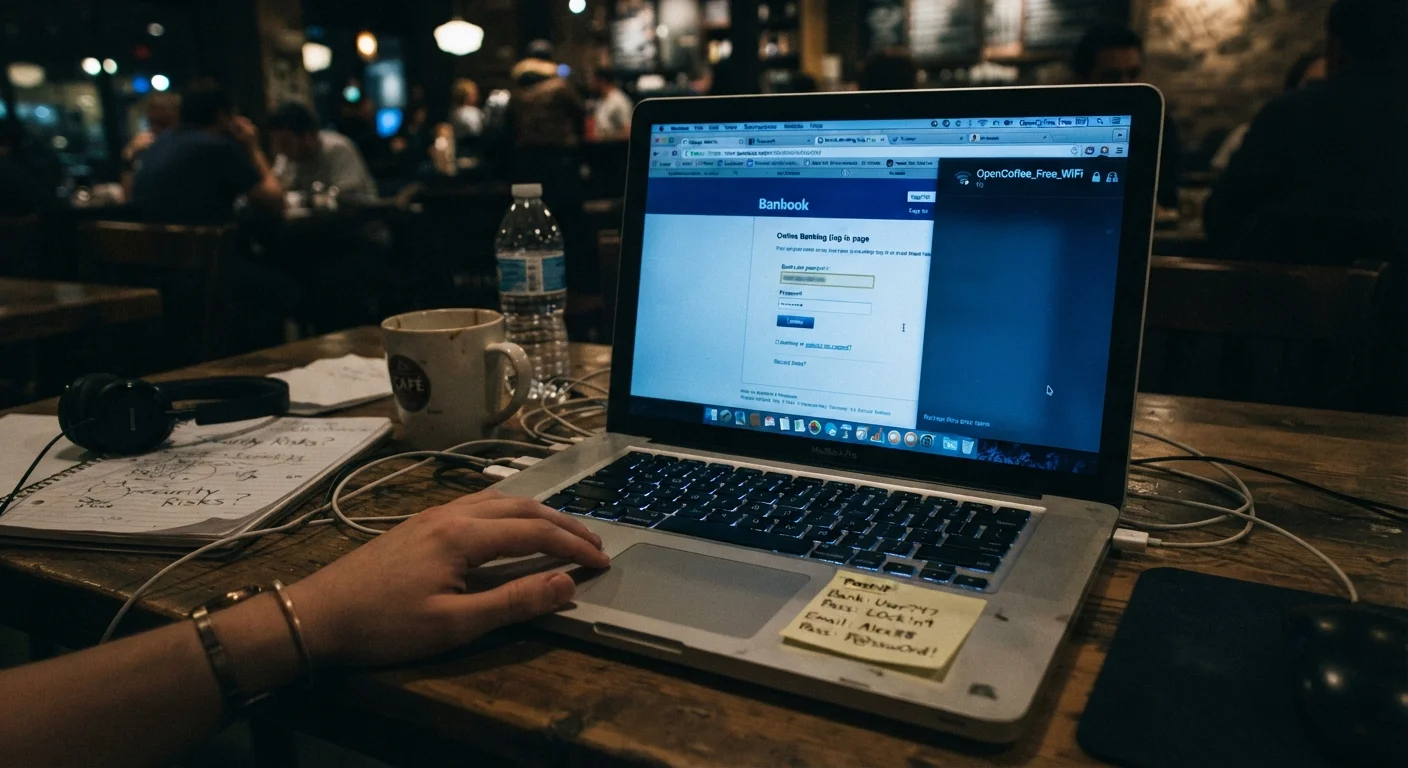
Photo credit: SyndicateExpert.com | Information At The Ready
In this article
Reusing passwords, skipping updates, staying logged in — these shortcuts add up. Learn why common convenient habits quietly increase your risk.
Key Takeaways
- Reusing passwords across multiple accounts means one breach can compromise everything you own online.
- Delaying software updates leaves known security vulnerabilities open for attackers to exploit.
- Staying permanently logged into accounts on shared or public devices exposes sensitive information.
- Convenience-driven habits feel low-risk individually but compound into serious exposure over time.
- Most protective habits require minimal effort once built into a routine.
Why Convenient Habits Create Hidden Vulnerabilities
Most security failures don't start with sophisticated hacking. They start with ordinary shortcuts — reusing a password because remembering new ones is exhausting, skipping an update because it's inconvenient timing, staying logged in because logging out feels unnecessary. None of these feel like mistakes in the moment. That's precisely what makes them dangerous.
Digital security isn't about paranoia; it's about understanding which habits quietly raise your risk. The goal isn't to make your online life harder — it's to close the gaps that attackers routinely exploit. For a grounded starting point on building safer habits overall, see this introduction to online safety.
Reusing the same password across multiple accounts.
Why it happens: Creating and remembering unique passwords for dozens of accounts feels genuinely impractical, so most people default to one or two reliable favorites.
Dismissing or indefinitely delaying software and operating system updates.
Why it happens: Updates interrupt workflow, sometimes require restarts, and the security benefit isn't immediately visible — so they're easy to postpone indefinitely.
Staying permanently logged into accounts on shared, borrowed, or public devices.
Why it happens: Logging back in feels like friction, especially if you use a device regularly or believe you're the only one who touches it.
Connecting to public Wi-Fi without any protective measures.
Why it happens: Free Wi-Fi at airports, hotels, and cafes feels routine and harmless, and the risks aren't obvious in the moment.
Using security questions with real, easily discoverable answers.
Why it happens: Security questions prompt for genuine personal details, and answering truthfully seems like the natural thing to do.
Skipping two-factor authentication (2FA) because it adds an extra step.
Why it happens: The extra login step feels like an annoyance, especially when you're accessing accounts frequently and nothing bad has happened before.
How to Start Correcting These Habits Without Overhauling Your Life
Security improvements don't have to be all-or-nothing. Addressing even two or three of the mistakes above meaningfully lowers your exposure. Start with the habits that apply to your highest-value accounts — email, banking, and anything tied to payment information — before working outward.
Don't Wait for a Breach to Act
Many people only change their security habits after an account is compromised. By then, the damage — unauthorized purchases, data exposure, or identity theft — may already be done. Periodic credential breaches are common enough that security researchers recommend checking services like Have I Been Pwned (haveibeenpwned.com) to see if your email has appeared in known data leaks. Acting before a problem occurs is always less costly than recovering afterward.
For passwords specifically, the barrier to change is lower than most people assume. A password manager handles the complexity of creating and storing unique credentials, so you only need to remember one strong master password. If you're weighing whether that trade-off makes sense for you, this balanced look at password managers walks through the real pros and cons without the hype.
Public networks deserve particular attention. If you regularly work from coffee shops or airports, the risks go beyond passwords. Understanding what's actually at risk on open networks can help you decide which precautions matter most for your habits. And if you manage your privacy across social platforms, reviewing your social media privacy settings is a practical next step that takes less time than most people expect.
Security isn't a single decision — it's a collection of small, maintainable habits. The most effective ones are the ones you'll actually keep.

Author
Tech & Devices Editorial Team
Tech & Devices Editorial Team is the collective byline for our editorial team and contributor network. Articles published under this byline or an editorial pen name are researched, written, and reviewed according to our editorial standards for clarity, consistency, and independence before publication.
View all articles →