
Notification Overload: How App Alerts Are Designed to Demand Attention
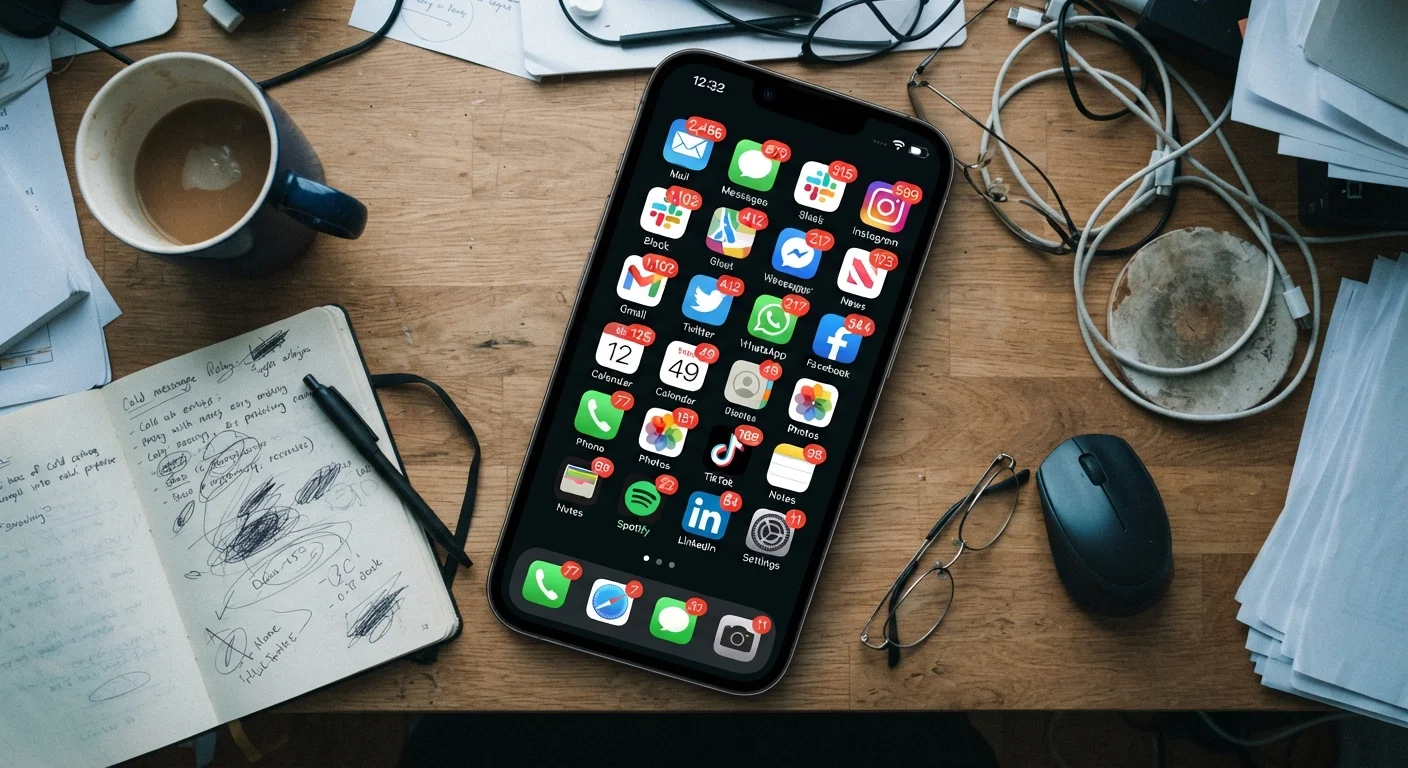
Photo credit: SyndicateExpert.com | Information At The Ready
In this article
Why do apps notify you so aggressively? Understanding the design logic behind notifications helps you take back control of your focus.
Key Takeaways
- App notifications are deliberately designed using behavioral psychology to maximize re-engagement, not user well-being.
- Variable reward schedules — borrowed from gambling research — make notification checking feel compulsive rather than voluntary.
- Most users receive far more notifications per day than they find useful or act on.
- You can reclaim focus by auditing notification permissions at the system level, not just app by app.
- Turning off most notifications rarely causes you to miss anything that couldn't wait.
The Design Logic Behind Every Alert
When an app asks to send you notifications, it isn't offering a service — it's requesting a direct line to your attention. That permission request is one of the most consequential taps you make during setup, and most people approve it automatically without considering what they're agreeing to.
App teams study notification timing, wording, and frequency the way marketers study advertising copy. Subject lines are A/B tested. Delivery windows are optimized for when you're most likely to be idle. The goal is a single outcome: getting you to open the app again, as often as possible.
This is why notifications rarely feel neutral. They're written with urgency cues — "You have an unread message," "Don't miss out," "Someone reacted to your post" — even when the underlying event is minor. The framing borrows from the same principles that make breaking news headlines compelling: incomplete information that your brain wants to resolve.
“Persuasive technology is any technology that is designed to change attitudes or behaviors. When you're building apps, there's a tension between what's good for the user and what keeps them engaged — and those aren't always the same thing.”
— B.J. Fogg, Behavior scientist and founder of the Persuasive Technology Lab at Stanford University
Variable Rewards and the Compulsion to Check
One of the most effective tools in notification design is what behavioral researchers call a variable reward schedule — the same mechanism that makes slot machines so difficult to walk away from. When you can't predict whether a notification will contain something exciting or mundane, your brain responds by checking more frequently, not less.
Social apps are built around this principle. Sometimes a notification leads to genuine connection — a message from someone you care about, a comment that made you laugh. Other times it's a promotional nudge or a system-generated alert no one authored. The unpredictability is not a design flaw; it is the design.
Constantly jumping between apps amplifies this effect. Each switch is an opportunity for another alert to interrupt re-entry into focused work. Over the course of a day, this accumulates into significant cognitive drag that most people don't consciously attribute to their notification settings.
46x
Average daily phone checks per user
Research by Asurion found that Americans check their phones an average of 96 times per day — roughly once every 10 minutes — a pattern strongly linked to notification interruptions.
23 min
Average refocus time after an interruption
Studies by Gloria Mark at UC Irvine found it can take over 23 minutes for a person to fully return to a task after an interruption, including those caused by digital notifications.
~80%
Notifications users ignore or dismiss
Industry analyses of notification engagement suggest the large majority of app alerts are dismissed without action, yet delivery frequency often continues to increase.
What Happens at the System Level
Both major mobile operating systems — iOS and Android — have evolved their notification frameworks to give users more granular control than early smartphone owners ever had. You can now distinguish between notification types within a single app: allow a messaging app to send alerts for direct messages while blocking its promotional announcements entirely.
Despite these tools being readily available, most users don't revisit notification settings after initial setup. Apps count on this inertia. When a permission is granted, it typically stays granted indefinitely unless the user actively revokes it.
A useful reframe: treat notification permissions the way you'd treat access to your front door. You wouldn't hand a key to every business you interact with. The same selectivity applies here. Defaulting to "deny" for new apps — then granting permission only when a genuine use case emerges — shifts the dynamic from reactive to intentional.
As you consider your own app setup, it's worth noting that most downloaded apps go largely unused, which means a significant share of the notifications you receive come from apps you rarely open anyway.
Practical Steps for Reclaiming Your Attention
Reducing notification overload doesn't require deleting apps or going offline. It requires treating your notification settings as a regular maintenance task rather than a one-time configuration.
- Audit at the OS level: Open your phone's notification settings and review which apps have permission to send alerts. Revoke access for any app you didn't consciously choose to stay connected with.
- Separate alert types: For apps you do want to hear from, decide whether you need sounds, banners, badges, or some combination. A badge is far less disruptive than a banner with sound.
- Use Focus or Do Not Disturb modes: Both iOS and Android allow you to define which apps and contacts can break through during specific times. Scheduling quiet periods around work or sleep requires a single setup and runs automatically.
- Notice which notifications you actually act on: Over a week, pay attention to which alerts you respond to versus dismiss. That data tells you which permissions are earning their place.
If you're also reviewing what you're paying for across your apps, a related step is auditing your app subscriptions — apps with paid tiers often ramp up notification volume as a retention tactic.
This article is for general informational purposes only. Individual experiences with app behavior and device settings may vary by platform version and region.
Frequently Asked Questions

Author
Tech & Devices Editorial Team
Tech & Devices Editorial Team is the collective byline for our editorial team and contributor network. Articles published under this byline or an editorial pen name are researched, written, and reviewed according to our editorial standards for clarity, consistency, and independence before publication.
View all articles →