
Navigating a Destination You Don't Speak the Language Of
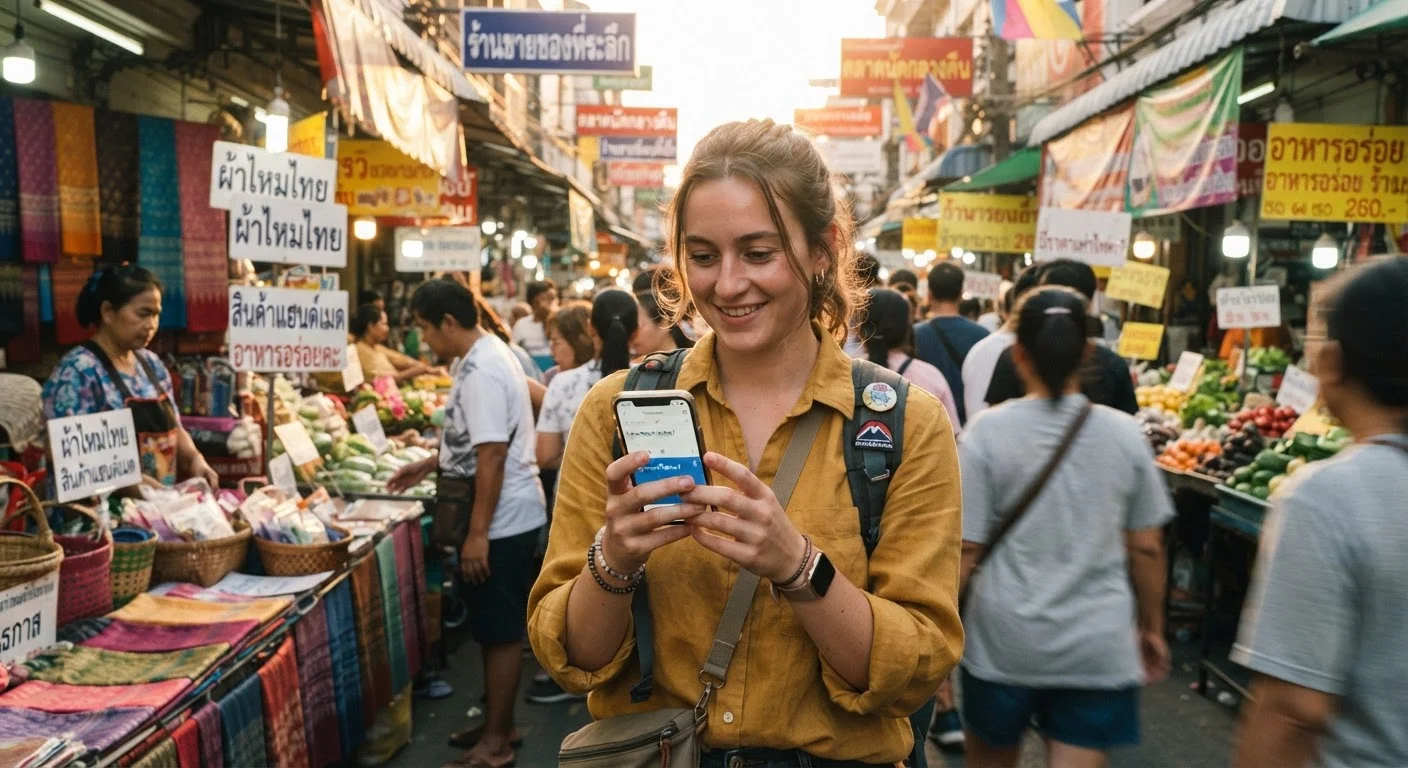
Photo credit: SyndicateExpert.com | Information At The Ready
In this article
Translation apps, gesture-based communication, and respectful effort go a long way. Here's how to move through a language barrier with confidence.
Key Takeaways
- Download offline translation apps before you travel so they work without Wi-Fi or data.
- Learning even five to ten words in the local language earns enormous goodwill from locals.
- Visual communication — maps, photos, pointing — is surprisingly effective across language gaps.
- Slow down, stay calm, and use clear enunciation rather than speaking louder.
- A smile and respectful body language open more doors than any phrase book.
Why Language Barriers Are Less Daunting Than You Think
Fear of not speaking the local language stops too many Americans from booking the trip they actually want. The reality? Billions of meaningful human interactions happen every day between people who share no common tongue. Communication is far older than language fluency, and most destinations — even those with very little English signage — are well-practiced at welcoming visitors who arrive with good intentions and a willingness to try.
That said, preparation genuinely matters. Knowing which tools to lean on, what small gestures defuse confusion, and how to read a room when words fail makes the difference between a frustrating afternoon and a story you'll dine out on for years. Before you go, also make sure you've sorted the logistics side of things — our guide on reading a destination's entry requirements covers the documentation groundwork so your arrival goes smoothly.
What you will need
Step-by-Step: Moving Through a Language Barrier with Confidence
Download Offline Translation Tools Before Departure
Translation apps that require an internet connection can fail precisely when you need them most — at a remote train station, a rural restaurant, or an area with poor signal. Download offline language packs for your destination before you leave home. Many widely-used translation apps support offline text and camera translation, letting you point your phone at a menu or sign and get an instant reading without data. Check the apps and software hub for guidance on finding the right tools for your needs.
Learn a Core Set of Local Phrases
You don't need to be conversational. A handful of words — hello, thank you, please, excuse me, yes, no, and "do you speak English?" — signals respect and warms up almost any interaction instantly. Write these out phonetically if the script is unfamiliar, and practice the pronunciation before you land. Locals notice the effort, and that effort buys enormous patience and goodwill in return.
Use the Camera Translation Feature for Menus and Signs
Live camera translation — where your phone's viewfinder overlays translated text on top of real-world signs — is one of the most practical travel tools available. Use it at restaurants to understand what's in a dish, at transit stations to read departure boards, and in pharmacies when ingredient lists matter. Point slowly and give the app a moment to stabilize before reading the result.
Prepare Visual Backups: Maps, Photos, and Written Cards
Screenshot your hotel's address in the local script, not just romanized text. Save photos of landmarks near key destinations. If you have dietary restrictions or medical needs, have them written out in the local language by a native speaker before you travel — not solely machine-translated. These visual cards take minutes to prepare and can resolve what might otherwise be a genuinely stressful situation.
Stay Calm, Patient, and Physically Open
Frustration is contagious. If a transaction or conversation isn't landing, take a breath, smile, and try a different approach rather than repeating the same phrase more forcefully. Open, relaxed body language — uncrossed arms, steady eye contact, a genuine expression — communicates goodwill across every cultural context. Most people, in most places, genuinely want to help a traveler who seems kind and patient.
Make Google Translate Work Harder for You
Beyond text input, many translation apps support conversation mode — where two people speak into the same phone and hear real-time translations. This is particularly useful in extended exchanges like negotiating directions or discussing a hotel issue. Test conversation mode before your trip so you're comfortable using it under pressure.
When Technology Isn't Enough: Human Skills That Always Translate
Apps are tools, not magic. When a conversation goes sideways despite your best digital efforts, a few grounded human approaches save the day. Slow your speech to a natural, measured pace — rushing makes accents thicker and comprehension harder for both sides. Enunciate clearly rather than raising your volume; a louder voice doesn't create understanding, it just creates noise.
Drawing a simple sketch on paper or pulling up a photo on your phone often cuts through what words cannot. Pointing at a menu item, showing a picture of a landmark, or writing down a number are universally legible. Keep a small notepad or use your phone's notes app as a quick visual reference. These skills, incidentally, are the same instincts that build connections across any kind of difference — as explored in our piece on building bonds across different backgrounds.
For destinations with particularly distinct communication cultures — Japan being a prominent example — some cultural context goes a long way. Our detailed guide on Japan for first-time visitors walks you through the etiquette layer that makes everyday interactions smoother. And while you're navigating language logistics, keep your finances organized too — protecting your money abroad is another practical layer of international confidence.

Author
Travel & Trips Editorial Team
Travel & Trips Editorial Team is the collective byline for our editorial team and contributor network. Articles published under this byline or an editorial pen name are researched, written, and reviewed according to our editorial standards for clarity, consistency, and independence before publication.
View all articles →