
Tablet or Laptop: Choosing the Right Tool for How You Actually Work
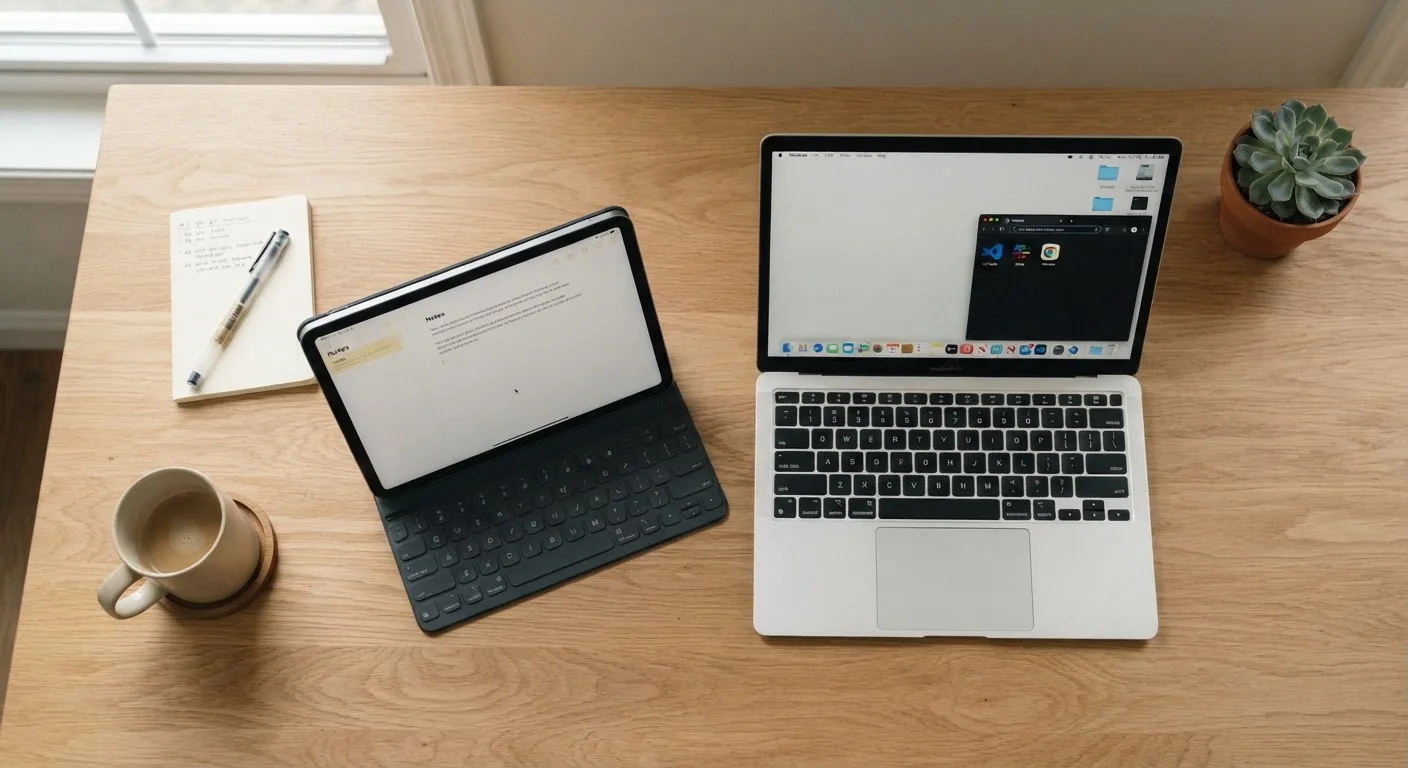
Photo credit: SyndicateExpert.com | Information At The Ready
In this article
Tablets and laptops overlap more than ever, but they still serve different use cases. This guide helps you match the device to your real daily habits.
Key Takeaways
- Tablets excel at portability, media consumption, and touch-based tasks; laptops lead in sustained productivity and multitasking.
- A keyboard-equipped tablet blurs the line but still can't fully replace a laptop for complex workflows.
- Your real daily habits — not marketing specs — should drive the decision.
- Many people benefit most from one primary device paired with a smartphone, not two full computers.
- Software availability and file management remain the clearest dividing lines between the two form factors.
Why This Decision Is Harder Than It Used to Be
A few years ago, the tablet-vs-laptop question had a fairly clear answer: tablets were for casual consumption, laptops were for getting work done. That boundary has eroded. Tablets now support detachable keyboards and styluses, run productivity suites, and handle video calls without breaking a sweat. Laptops, meanwhile, have gotten lighter and developed touchscreens of their own.
But hardware convergence doesn't mean the use cases have merged. The way you interact with each device — touch gestures versus keyboard shortcuts, portrait browsing versus windowed multitasking — still shapes what each one is genuinely good at. Understanding those differences helps you avoid buying a device that technically can do what you need, but makes it unnecessarily awkward.
If you're thinking about how your apps and data will carry across whichever device you choose, the guide on syncing apps across devices is worth reading alongside this one.
Where Laptops Still Have the Edge
For anyone whose work involves sustained typing, complex spreadsheets, or juggling multiple windows simultaneously, a laptop remains the stronger tool. The physical keyboard is the central reason: even the best tablet keyboard case involves compromises in key travel, palm rejection, and lap stability. Over hours of writing, those compromises add up.
File management is another concrete dividing line. Laptops expose a traditional folder-based file system, which matters when you're working with many document types, running local software, or moving files between programs. Tablets handle files through app-specific storage and cloud sync, which works well for straightforward workflows but can frustrate anyone used to dragging files between folders.
Software availability still favors laptops for specialized tasks — accounting software, certain design tools, development environments, and full-featured browser extensions often don't have tablet equivalents worth relying on. If your workflow depends on any of these, a laptop is the less risky choice. Check out the native apps vs. browser-based tools guide for a deeper look at when software format actually matters.
| Laptop | Tablet | |
|---|---|---|
| Typing experience | Full keyboard, comfortable for hours | Touch or add-on keyboard, less reliable |
| File management | Traditional folder system | App-based, cloud-dependent |
| Software availability | Broad, including legacy desktop apps | App store only, some gaps |
| Portability | Moderate — heavier, bulkier | High — light, slim, easy to carry |
| Battery life | Varies widely by model and use | Often longer in real-world use |
| Multitasking | Multiple windows, strong support | Improving, but still limited |
| Touch and stylus use | Secondary, less natural | Primary, purpose-built for it |
| Best primary use case | Sustained productive work | Consumption, notes, light tasks |
Where Tablets Genuinely Win
Tablets are lighter, often have longer battery life in real-world use, and are significantly more comfortable to hold for extended reading, sketching, or video watching. If your screen time skews toward consuming content — articles, videos, e-books, podcasts — rather than producing it, a tablet fits that pattern well.
Touch-first interactions are genuinely better for certain tasks: annotating documents, signing forms, sketching diagrams, and navigating photo libraries all feel more natural on a tablet than on a laptop trackpad. For students, healthcare workers reviewing records on rounds, or anyone who needs to hand a screen to someone else to view, the form factor has practical advantages.
Portability matters too. A tablet slips into a bag without much thought and survives the jostling of commutes more easily. For someone who primarily works at a desk and uses their device on-the-go for lighter tasks, a tablet paired with a smartphone may cover everything without the weight of a second full computer. Keeping those devices organized is easier than most people expect — see the article on organizing your digital life for practical approaches.
The Honest Middle Ground: Tablets With Keyboards
Tablet-plus-keyboard combinations are genuinely useful for many people — but it's worth being clear about what they are and aren't. They work well for note-taking, light document editing, email, and video calls. They struggle with complex multitasking, running legacy desktop software, and anything requiring precise file organization across multiple apps.
Think of a keyboard-equipped tablet as a capable travel companion for someone whose heavy work happens at a desktop or powerful laptop. Treating it as a full laptop replacement tends to generate frustration, not savings.
If you find yourself constantly switching between apps to compensate for a device's limitations, that friction is worth paying attention to. The piece on when switching apps becomes the productivity problem explains why that pattern tends to reduce rather than improve how much you get done.
How to Make the Call for Your Situation
Rather than asking which device is better in the abstract, track what you actually do on screens for a week. Count the hours spent typing long documents versus reading, creating spreadsheets versus watching video, running specialized software versus browsing. That ratio is more informative than any spec sheet.
Also consider where you work. If you're at a desk most of the time, battery life and weight matter less. If you're constantly moving between locations, they matter considerably. And if you already own a capable smartphone, evaluate whether a tablet genuinely adds capability or just duplicates what your phone already does at a larger size.
The goal isn't to own both devices — it's to own the one that makes your actual daily work feel less effortful. For most people who do substantive computer work, that's still a laptop. For those whose screen time is mostly consumption, communication, and light tasks, a tablet is often the more honest fit. Either way, extending your device's battery life is worth understanding regardless of which form factor you land on.

Author
Tech & Devices Editorial Team
Tech & Devices Editorial Team is the collective byline for our editorial team and contributor network. Articles published under this byline or an editorial pen name are researched, written, and reviewed according to our editorial standards for clarity, consistency, and independence before publication.
View all articles →